Open menu

A writing flow designed for projects, chapters, and momentum
Theus differs from a generic AI chatbox by organizing planning, drafting, memory, revision, and manuscript output into one connected workflow.
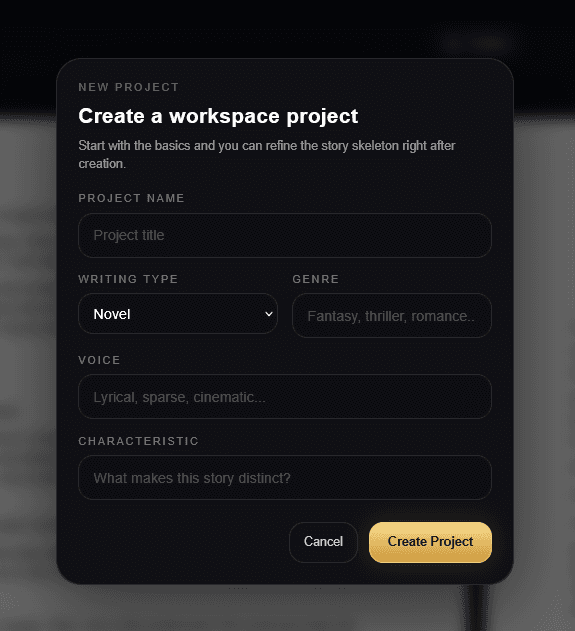
What the Theus workflow looks like in practice
Each step is meant to reduce confusion and keep the manuscript grounded in its own evolving context.
Create a project
Start a project shell so the manuscript has a clear home for ideas, planning, drafting, and revision.
Discuss
Talk through the concept with Theus to pressure-test your premise, sharpen direction, and uncover stronger creative angles before drafting.
Research
Use the discussion flow to explore story questions, world details, tone, structure, and supporting references that can strengthen the project.
Record
Document the useful outputs from discussion and research inside the skeleton so the thinking stays attached to the project instead of getting lost in a chat log.
Build your story skeleton
Shape premise, conflict, cast, stakes, setting, and chapter direction into a durable planning structure that guides later drafting.
Draft scenes and chapters
Move from planning into active manuscript creation with drafting tools designed for scene development, chapter momentum, and revision support.
Export
Preview the manuscript, refine what is on the page, and export when the work is ready to move outside the workspace.
Create a project
Start a project shell so the manuscript has a clear home for ideas, planning, drafting, and revision.
Discuss
Talk through the concept with Theus to pressure-test your premise, sharpen direction, and uncover stronger creative angles before drafting.
Research
Use the discussion flow to explore story questions, world details, tone, structure, and supporting references that can strengthen the project.
Record
Document the useful outputs from discussion and research inside the skeleton so the thinking stays attached to the project instead of getting lost in a chat log.
Build your story skeleton
Shape premise, conflict, cast, stakes, setting, and chapter direction into a durable planning structure that guides later drafting.
Draft scenes and chapters
Move from planning into active manuscript creation with drafting tools designed for scene development, chapter momentum, and revision support.
Export
Preview the manuscript, refine what is on the page, and export when the work is ready to move outside the workspace.
See the workflow in motion
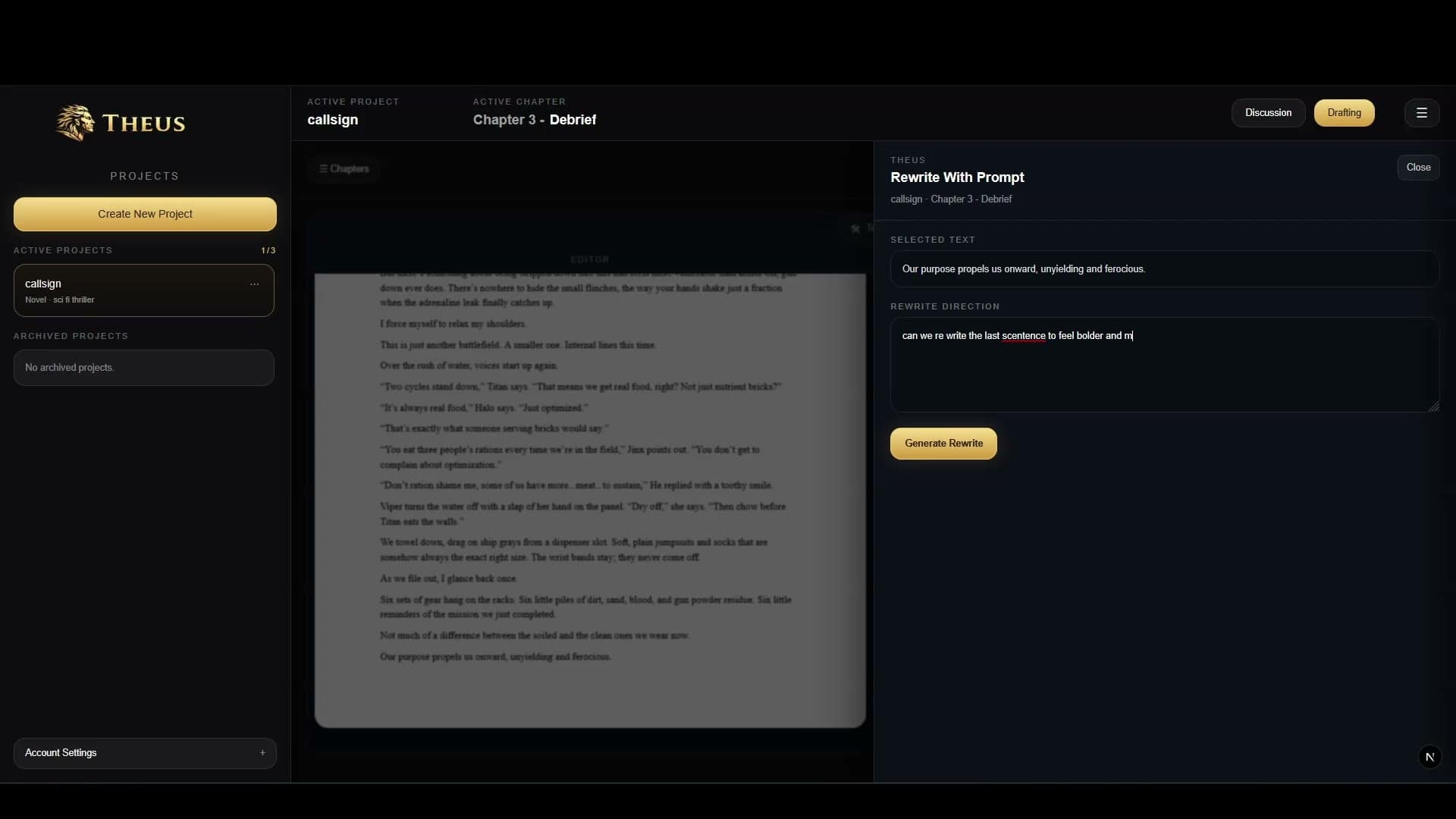
Real workflow. Real draft. Real creative momentum.